
The optional Auto Sell Scripts configuration removes the need to manually clear large backlogs of zero‑priced scripts at the Till. This option is not enabled by default.
When enabled, Minfos will automatically sell eligible $0 NHS and/or $0 Private scripts as part of the End of Day (EOD) process. As part of this process the SOH is updated and sales are recorded as auto-processed transactions providing full visibility in Sales Enquiry and reporting.
Note

Once enabled, the Auto Sell function will process all existing $0 scripts that match the selected criteria, not just new ones. If your store has a backlog of older scripts meeting the criteria, they will be sold automatically when this setting is activated.

Negative‑quantity and deleted scripts are excluded and must still be managed manually.
Set the Auto Sell Scripts Configuration
- From Dispense Pro module, click Maintenance and select D. Configuration.
Or, click the Configuration icon.
The Configuration window is displayed.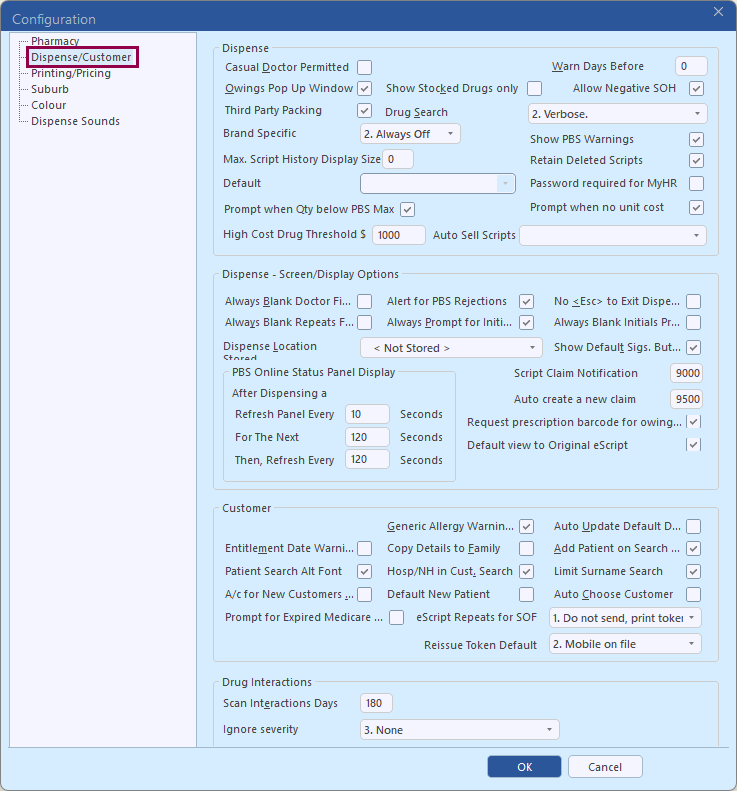
- Click Dispense/Customer.
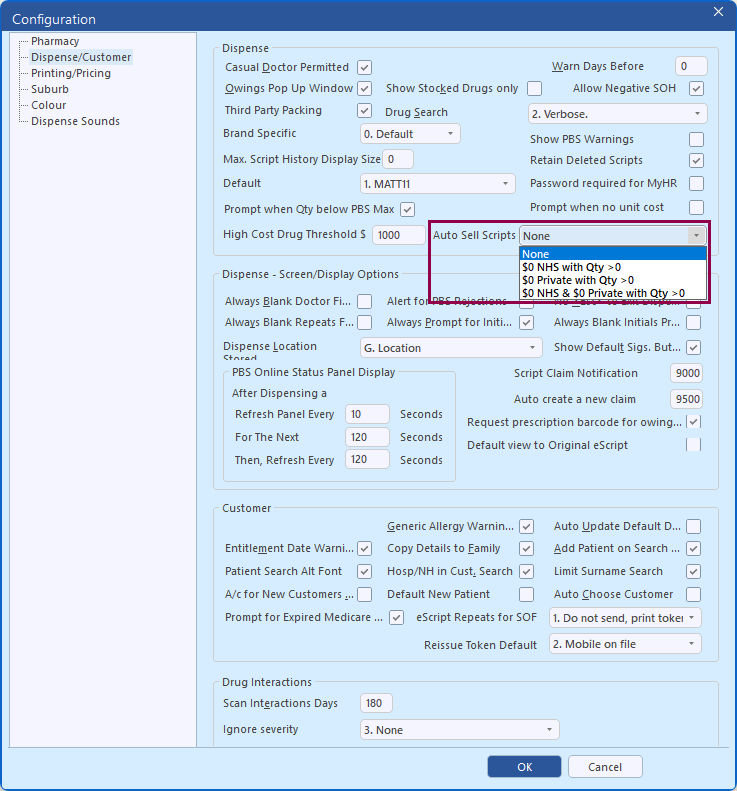
- Click the Auto Sell Scripts dropdown and selection from:
- None – This is the default setting
- $0 NHS with Qty >0 – When selected, all NHS scripts with a price of $0 and a quantity greater than zero are automatically sold during EOD. An NHS script refers to NHS, Entitlement, CTG, CMP, Repatriation, Authority, Dental, Optometrist, Special, Section 100 and Doctor's Bag type scripts but does not include scripts dispensed to General patients priced at $0
- $0 Private with Qty >0 – When selected, all Private scripts (including S3 recordable) with a price of $0 and a quantity greater than zero are automatically sold during EOD
- $0 NHS & $0 Private with Qty >0 – When selected, all NHS (as above) and Private scripts (including S3 recordable) with a price of $0 and a quantity greater than zero are automatically sold during EOD
- Click OK to save your changes.