
This article will guide you to remove card surcharges that have been previously set up in your pharmacy. For information regarding credit card surcharge laws in Australia please refer to ACCC - Card Surcharges.
- Open the Retail Till module.
- Click Maintenance.
- Select 2. Credit Cards.
The Credit Card Maintenance window is displayed. 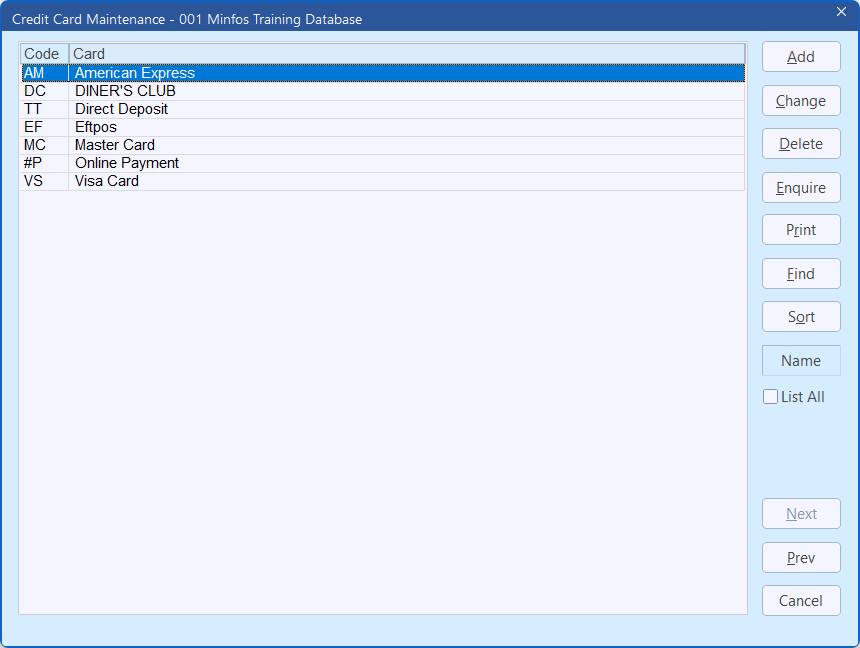
- Select the card type from which you want to remove the card surcharge, then click Change.
The Credit Card Editing window is displayed.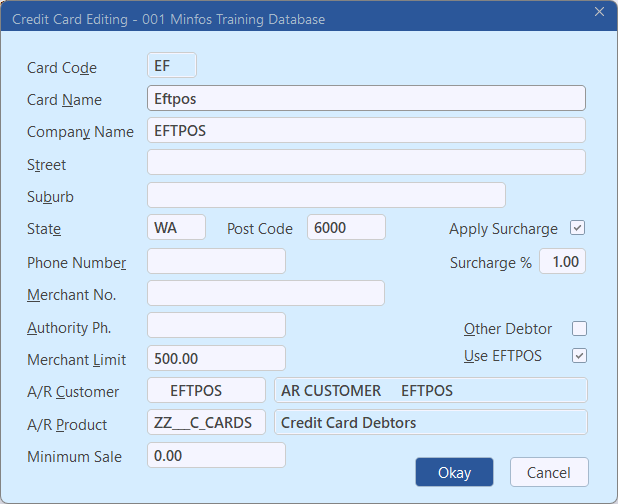
Optional best practice tip
To prevent a surcharge being accidentally re-applied in the future, change the Surcharge % field to 0, then continue the process below.
- Untick Apply Surcharge.
- Click Okay.
- Repeat this process for any card types that you want to remove a surcharge from.
- Close and re-open the Till module on any stations where payments are processed.