
If your pharmacy has a policy that allows further discounts on promotional products, you need to configure the Stack Manual Discounts option. If this option is not configured when you apply a manual discount at the Till for an item on promotion, the discount will be taken from the retail price, not the promotional price.
From the Minfos Launch Pad:
1. Click the Special menu and select Utilities.
The Utilities window is displayed.
2. Click Config and select 1. Shop Configuration.
The Shop Configuration window is displayed.
3. Click the Till tab. 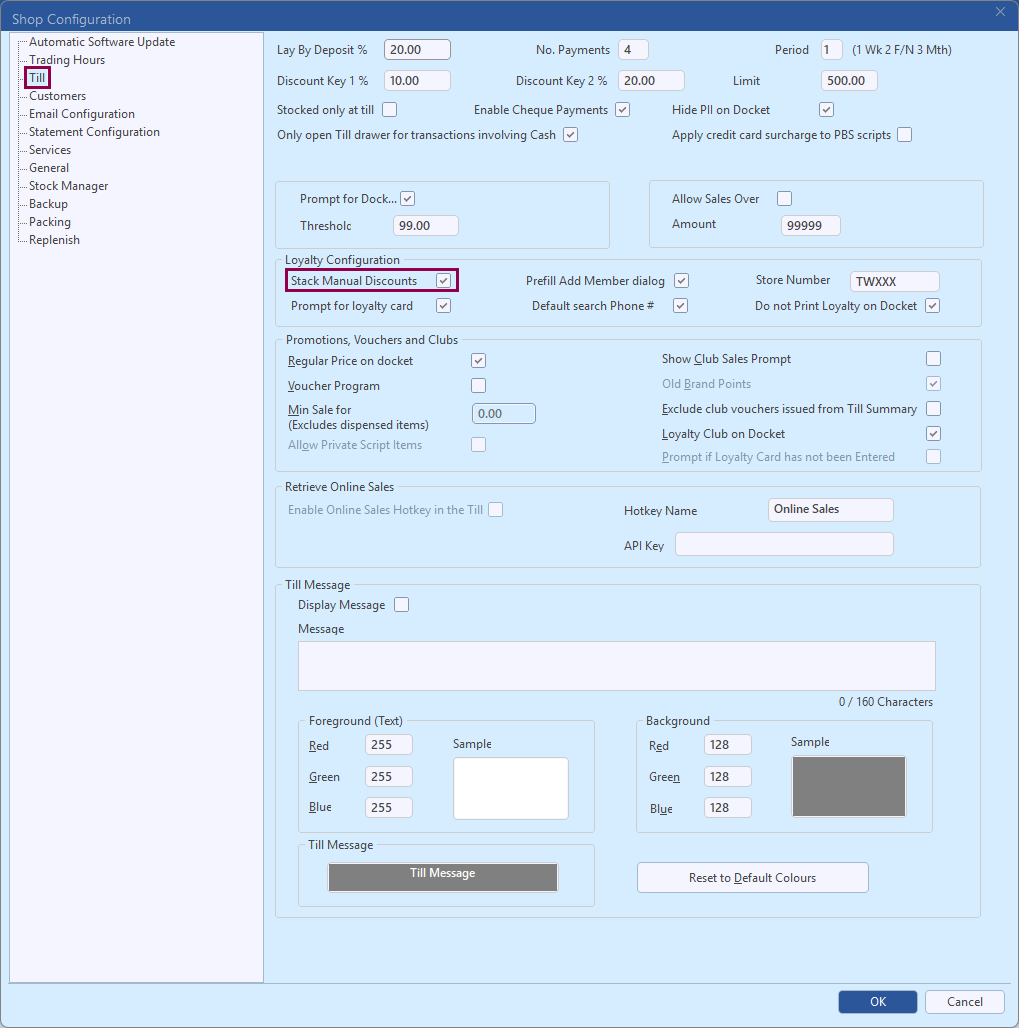 4. In the Loyalty Configuration groupbox, check Stack Manual Discounts.
5. Click OK.
Now when manual discounts are applied at the Till for promotional items, the discount is taken from the Promotional price.