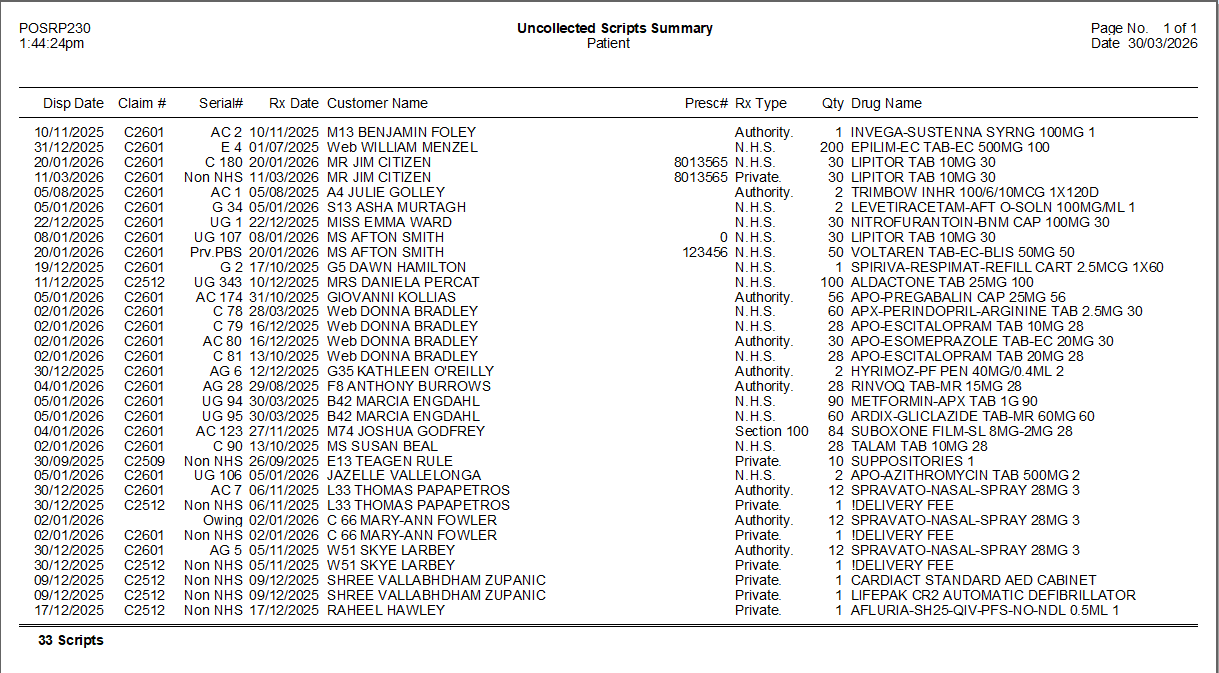
Scripts waiting at the Till are displayed in Product Maintenance as X(+X). To easily review these scripts you can run an Uncollected Scripts Report.
Step by step instructions
From Dispense Pro:
1. Click the Reports menu.
2. Select A. Uncollected Scripts Report.
The Uncollected Scripts Report window is displayed.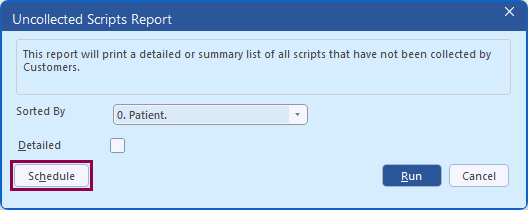
3. Click the Sorted by drop down and select required sort order:
- 0. Patient
- 1. Patient (Alphabetical)
- 2. Script Date
- 3. Supply Date.
4. Leave Detailed unselected.
5. Click Schedule to schedule the report to run automatically after the End of Day. Refer to Schedule a report.
Alternatively, click Run to generate the report immediately.
The Uncollected Scripts Report is displayed.